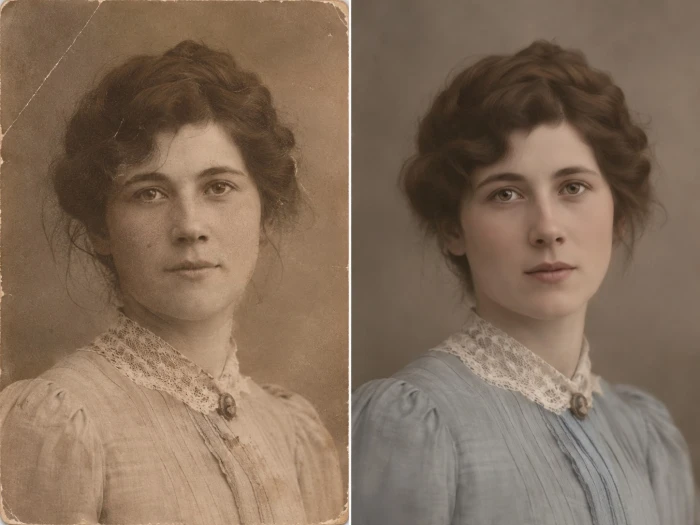
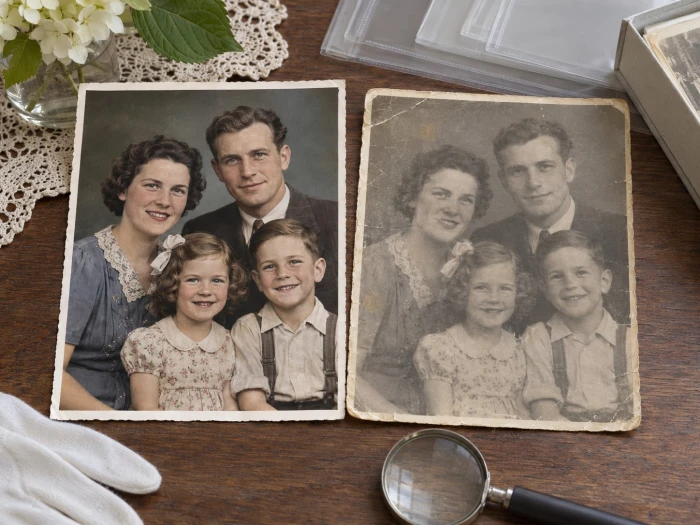
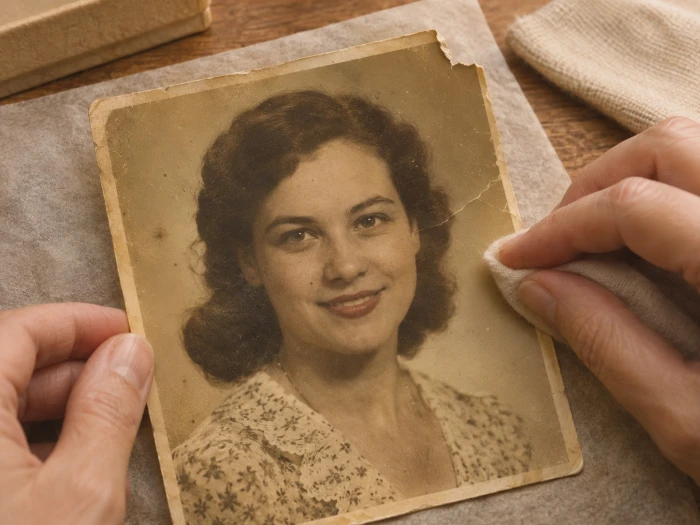
A cracked, sun-faded print fed into Gemini usually returns with the yellow lifted, the torn corner filled, and the faces holding their shape, all from one typed sentence. The result sits somewhere between relief and disbelief, because the kind of repair that once meant an afternoon in Photoshop or a paid restoration order now takes a single prompt and a few seconds.
The catch is that the sentence matters more than the software. The same photo can come back faithful or quietly rewritten depending on how the prompt is worded. What follows covers which Gemini model fits the job as of late 2026, the prompts that hold real detail instead of inventing it, and where the tool earns trust versus where it slips.
Quick answerUpload the photo to the Gemini app or Google AI Studio, select the image model (Nano Banana Pro for the most faithful results), and paste one short, specific prompt that names what to repair and what to leave untouched. One fix per message works best, with small follow-ups to correct any drift. Every output carries an invisible SynthID watermark. |
What Gemini actually uses to restore photos
"Gemini photo restoration" runs on Google DeepMind's native image model, nicknamed Nano Banana, which became an official product name through 2025 and 2026. The line has grown fast, and the chosen model decides resolution, fidelity, and cost. For restoration, two versions matter most.
| Model (code) | Released | Resolution | Best for |
|---|---|---|---|
| Nano Banana Pro (Gemini 3 Pro Image) | Nov 2025, stable May 2026 | 1K, 2K, 4K | Precious or badly damaged photos; most natural color and proportion |
| Nano Banana 2.1 (gemini-nano-banana-2.1) | Oct 2026 | 0.5K to 4K | Everyday restores and batches; fast, cheaper, leads some benchmarks |
| Nano Banana (Gemini 2.5 Flash Image) | Aug 2025 | up to 1024 px | The original; quick edits, now superseded |
Nano Banana Pro stays the accuracy-first pick, and in side-by-side tests its colors and proportions still read as the most natural. The newer, faster Nano Banana 2.1, built on Gemini 3.6 Flash, has closed much of the gap and even leads Pro on some image-editing benchmarks, which makes it a strong default for a large batch. Inside the consumer Gemini app, the standard fast model still appears under the Nano Banana 2 name while 2.1 rolls out to developers.
The one rule that changes resultsRestoration is not generation. These models do not recover lost pixels, they predict what should have been there. For a faded sky or a scratch across a wall, that prediction is usually perfect. For a half-missing face, it is a guess dressed up to look certain. Every prompt that protects the real detail and fences off the guessing raises the quality. |
How to restore an old photo in Gemini
1Scan or photograph the original at the highest resolution possible. Better input gives better output, and a sharp phone photo of a print beats a tiny thumbnail. 2Open the Gemini app on web or phone, or Google AI Studio. For the most faithful result, pick the Pro image model (Nano Banana Pro). 3Upload the photo using the image icon in the prompt box. 4Paste one focused prompt, handling a single goal per message instead of stacking repair, color, and sharpening together. 5Compare the output against the original. For any drift, reply with a small correction such as "keep the glasses" or "less saturation on the dress" rather than starting over. 6Download the file. A SynthID watermark stays embedded, with a small visible AI marker on Pro. |
Prompts that work, sorted by what is wrong
Each prompt below names the job, then fences off everything that should stay untouched. Copy the one that matches the photo, swap in specific detail where useful, and run it alone.
Safe all-round restore and colorize
|
Repair but keep it black and white
|
Colorize a black and white photo
|
Heavy damage, tears, and scratches
|
Remove a yellow or color cast
|
Sharpen a blurry photo
|
Full "like new" one-shot
|
Clarity boost, nothing else changed
|
The anatomy of a restoration prompt
A peer-reviewed evaluation of the Nano Banana family found that short prompts with explicit fidelity limits beat long, adjective-stuffed ones. The maximalist "vibrant, stunning, cinematic, 8K masterpiece" style measures worse for real photos, since it nudges the model to reimagine rather than repair. Five parts cover the whole job.
| Part | What it does | Example |
|---|---|---|
| Role | Sets the model's whole intent in one word | archival conservator, not artist |
| Subject | Grounds it in the real photo | a 1950s wedding portrait |
| The fix | Names the specific defect | repair tears and fading |
| Fidelity limit | Fences off the guessing | without adding or removing any detail |
| Output | Sets the finish | sharp, natural, keep it monochrome |
Where it shines and where it slips
Strengths
|
Weak spots
|
Access and pricing
Restoration lives inside the free Gemini app, with heavier use behind a Google AI subscription or the API. Google switched to compute-based limits in 2026, so there is no longer a fixed daily image count for free accounts; the app shows remaining usage in settings, and the allowance refreshes on a rolling window. Nano Banana Pro is now largely a paid feature.
| Tier | What it gives | Cost |
|---|---|---|
| Gemini app (free) | Fast Nano Banana image generation within variable daily limits; very limited or no Pro | Free |
| Google AI Pro | High daily limits and full Nano Banana Pro access | $19.99/month |
| Google AI Ultra | The highest daily limits | $249.99/month |
| AI Studio / API | Pay per image by resolution | Per image, below |
API price per image
| Resolution | Fast model (Nano Banana 2 line) | Nano Banana Pro |
|---|---|---|
| 1K | $0.067 | $0.134 |
| 2K | $0.101 | $0.134 |
| 4K | $0.151 | $0.240 |
A cheaper Lite model runs about $0.034 at 1K, and the original Nano Banana about $0.039. Nano Banana 2.1 refreshed the fast tier at similar or lower cost, which is why it suits high-volume restoration.
Mistakes that ruin a restore
| Overloading one prompt Asking for repair, color, sharpening, and a background fix at once makes the result inconsistent. One pass per goal keeps it clean. |
| Trusting a damaged face On heavy damage the model confidently redraws features that were never there. A side-by-side check against the original catches it. |
| Colorizing archival photos When accuracy matters, monochrome is safer. Color guesses can rewrite a uniform or a dress in ways that look real but are wrong. |
| Feeding a tiny image Low-resolution input forces more guessing. A high-quality scan or re-shoot comes first. |
What to expect, honestly
On a lightly faded or scratched photo, Gemini is close to magic and hard to beat for the time it takes. On a severely damaged one, it behaves like a talented artist filling gaps from imagination: the output looks clean and sharp, but a changed fur texture, a stranger's eyes, or a slightly wrong jawline can slip in. Reviewers testing it on real family photos have hit exactly this, where badly degraded shots came back polished yet no longer quite like the person.
Two habits keep results honest. Keeping the original open beside the result exposes any drift before it gets trusted. And when accuracy is the whole point, running the same photo through two models turns any disagreement between them into a flag that something was invented. The SynthID watermark stays embedded either way, by design, and cannot be stripped out.
The verdict
After enough passes, a pattern settles in. Gemini is the fastest route to bringing a faded print back to life, and for light to moderate damage the results hold up: clean paper, lifted color, faces that still resemble the original subjects. The honest caveat is that it predicts rather than remembers, so a heavily destroyed photo can come back confident and wrong, and colorizing a historical image can quietly rewrite a detail or two.
The reliable approach treats the first output as a strong draft, keeps the original beside it for comparison, and steers with small follow-up prompts rather than one long wish list. Handled that way, with a concise prompt and a clear fidelity limit, it turns a shoebox of fragile photos into something worth sharing, and the few that still need a human retoucher become obvious fast. For most family archives, that trade is an easy one to make.


Join the discussion